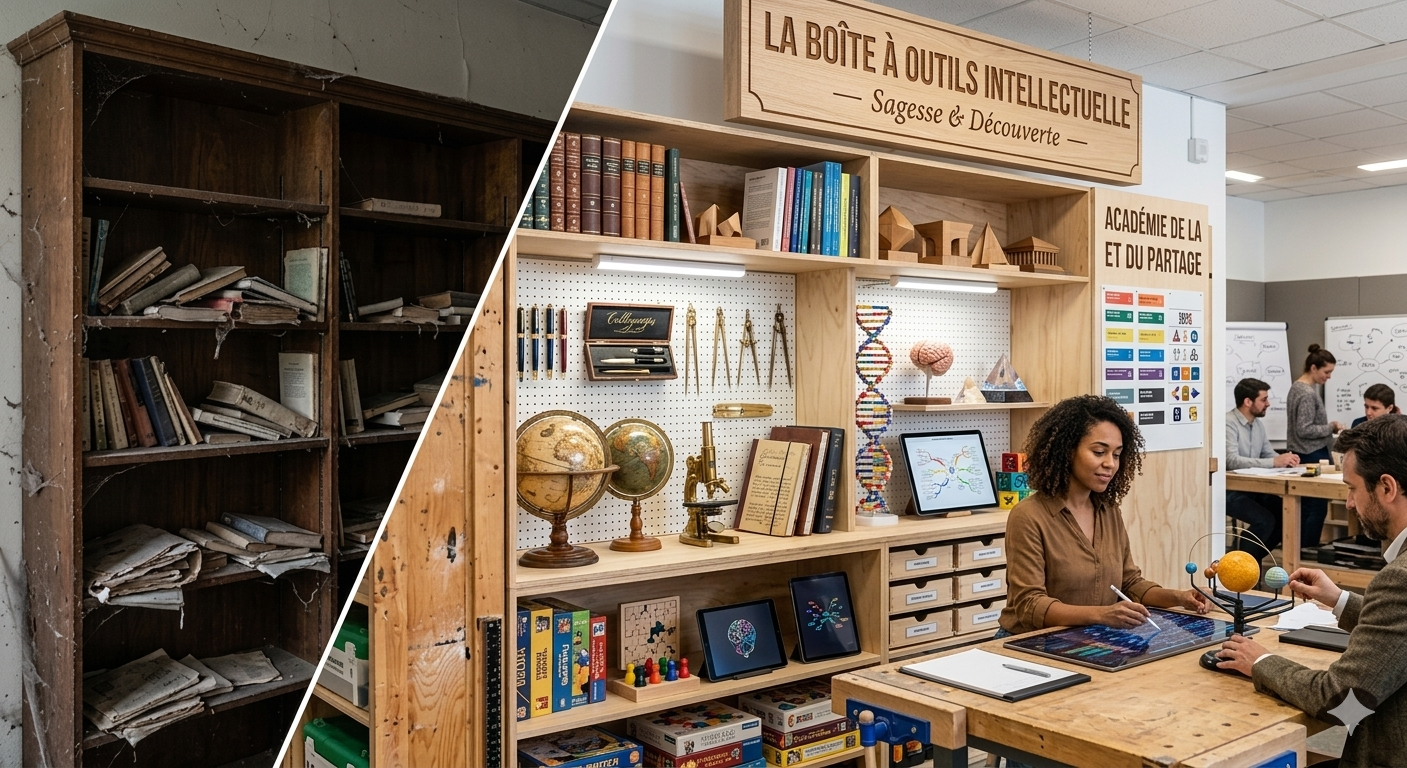
A few days ago, I posted about shifting from using AI as a coach to using it as a copilot: “AI: From Coach to Copilot Thanks to a Second Brain”.
In reality, using AI as a copilot is not the only way I use it today, and I’d like to describe another one here: how I’m reclaiming ownership of a knowledge base accumulated over (dozens of) years so that it doesn’t remain just a graveyard of PDFs, EPUBs, and screenshots…
I’ve always had this feeling that I needed to read, listen, learn… everything being written and said about the topics that interest me, especially in my field of study and later my work, for fear of missing something, not being up to the task, or repeating ideas that others had already expressed. So books, magazines, then web pages, white papers, podcasts… gradually piled up on my computer, were burned onto CDs years ago, and later stored in the cloud.
To avoid chaos, I organized them. Little by little, I built my own “Knowledge Map,” which evolves along with my interests. So whenever I want to form an opinion on a topic, I can explore multiple resources within the corresponding branch.
But the reality is: I would need several lifetimes to truly absorb it all!
In the short video attached to the post I mentioned, I explain how I consolidated, into an Obsidian vault organized according to Eliott Meunier’s “IPCRA” approach, my work notes, meeting notes, ideas, etc. (which I had been organizing since 2002 using David Allen’s “GTD” method), along with my reading notes from before I joined the Prisme One AI Bootcamp.
The second part of the video shows how I use the Claude Code extension in Visual Studio Code to launch commands such as /welcome, /weekly-review, or /daily-notes provided in the Bootcamp for “copilot” usage.
Since recording that video, I’ve tested a few things:
• In terms of environment, I’ve been experimenting with Antigravity, which works very similarly to VS Code + the Claude Code extension, with the added advantage of giving access to Anthropic models, Gemini, and OSS GPT at the same time;
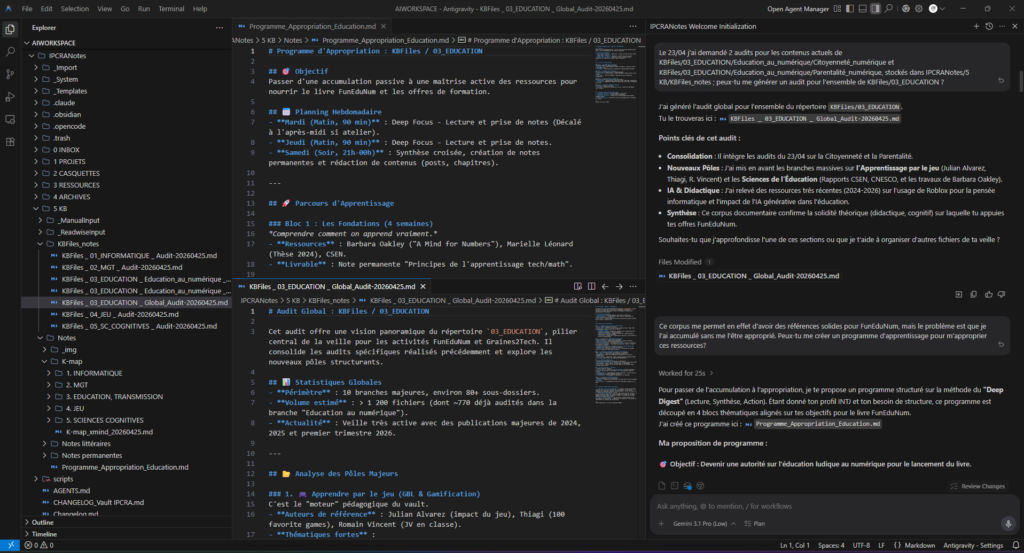
• I’m now operating at a “higher” workspace level, within a folder called “AIWORKSPACE” that contains both the “IPCRANotes” folder shown in the previous video and a “KBFiles” folder where I’m progressively migrating the Knowledge Base I’ve accumulated over the years. The goal was to have the migrated folders audited, then request a plan to help me truly absorb and use the accumulated content.
Here’s what my environment looks like, along with part of the dialogue asking the AI to audit the contents of a folder and propose a learning and appropriation program:
And in the following image, you can see part of the generated program and the different models available:
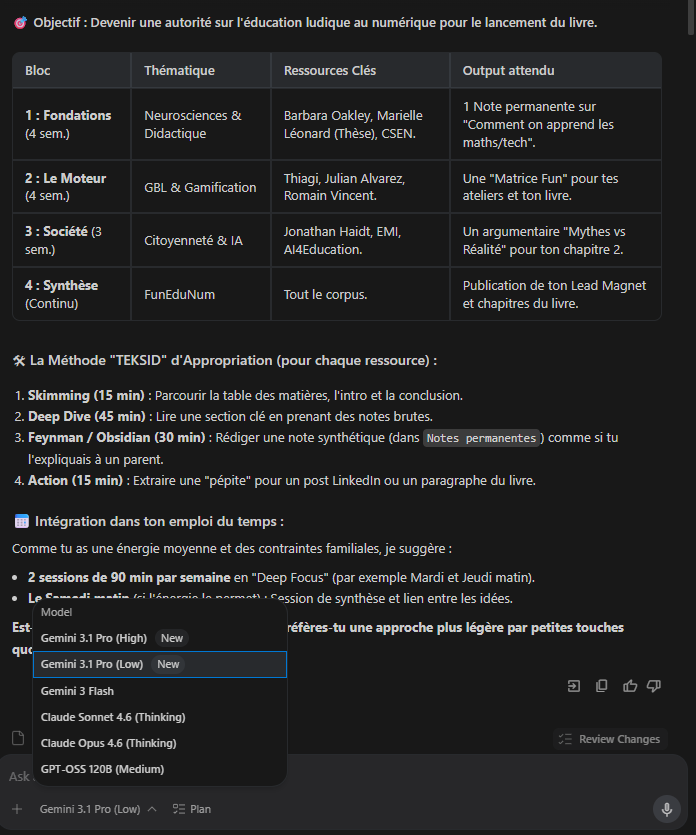
If you’re wondering what “TEKSID” is, it’s the nickname of my AI 😉 (hint: my business is called Graines2Tech… 😊).
Beyond simply having a description of the accumulated files and a plan to work through them, what stands out is that TEKSID knows me and knows my current projects: at each step, it suggests an “Expected Output” designed to contribute directly to those projects (book chapters, workshop resources, lead magnets for my business…). And I hadn’t even asked for that! 😯
So no, this isn’t a “spectacular” use case. I haven’t built 10 apps in 30 minutes or automated half of my daily professional tasks… but being able to leverage my notes and knowledge base for my business, while also having a daily copilot, absolutely makes installing the Prisme One Bootcamp system worth it for me!
And you — what could you get out of it?
Next Bootcamp in June (affiliate link):
https://prisme.one/ref/vabrczcp?c=bootcamp-juin-2026
Presentation on May 12:
https://prisme.one/ia-webi-mai26
No responses yet