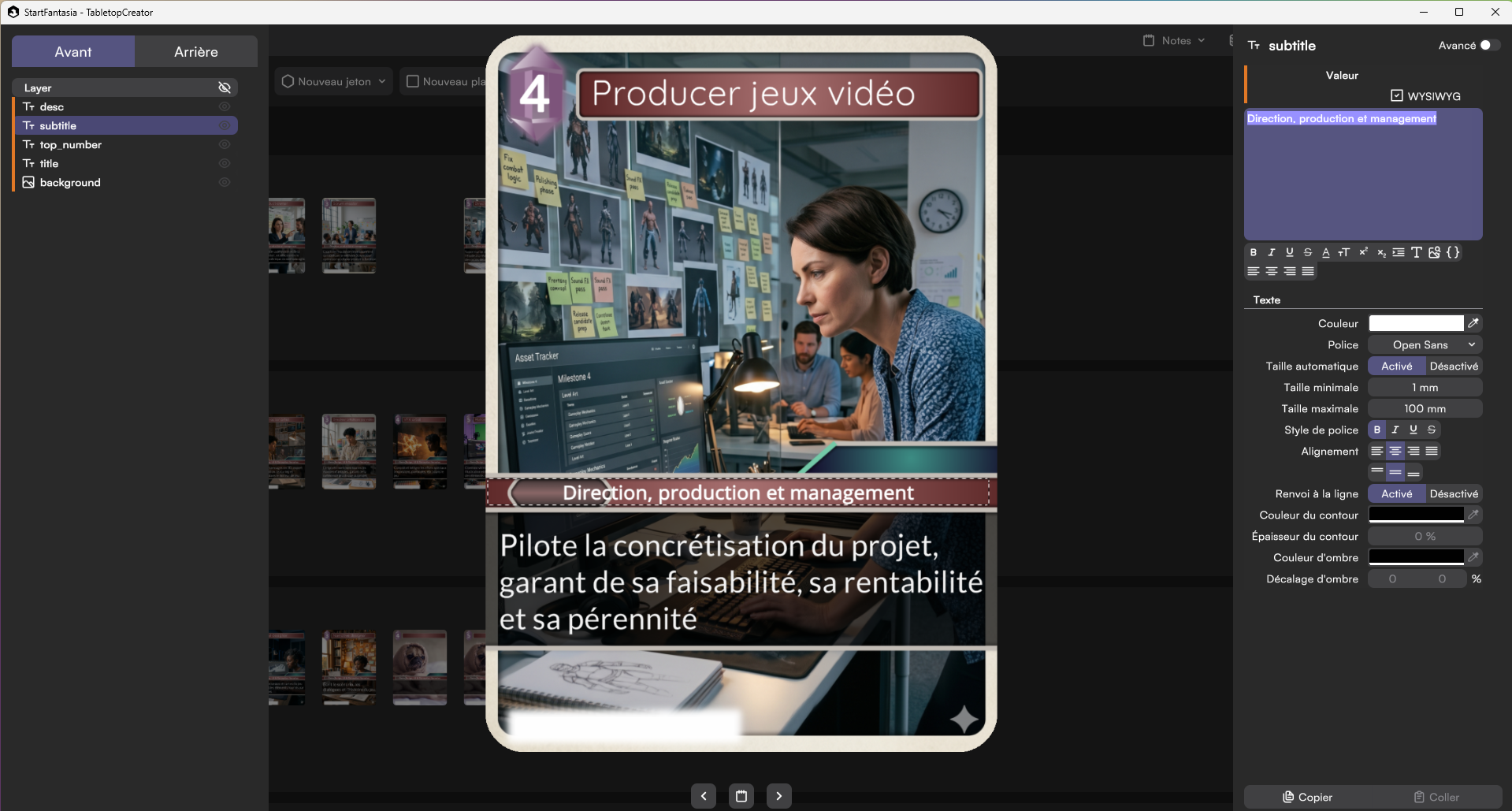
I continue to learn and experiment with « AI Second Brain » or « Personal AI » use cases, specifically applying what I learned during the « AI Bootcamp » by Prisme One (affiliate link) and the « Personal AI Bootcamp » by Génération IA. As we know, the best way to learn is to teach: so when I hosted a 10th-grade high school intern for a two-week internship, I took the opportunity to have him set up a simple environment and use it to create a serious game about digital jobs, along with the initial design of a virtual escape room.
In this article, I want to share:
- The minimal setup (under Windows) that I designed for this experience to get started with this type of AI usage
- How we used this setup during the internship
The minimal setup
My main takeaway regarding the setup for the intern was to strip away and simplify as much as possible, focusing on what can be done for free or at very low cost.
Data Privacy Note: To keep things simple, we chose to use only public data, so we didn’t have to worry about protecting personal or confidential data. Please don’t copy this setup blindly; think carefully about your specific use case first.
The configuration consists of three parts:
- Folders and files stored on a local drive or any cloud storage (in our case, Google Drive, as it was already in use).
- Visual Studio Code and the « Markdown Inline Editor » extension to view and edit markdown files in collaboration with the AI.
- OpenCode CLI (Command Line Interface, installed once) and the OpenCode extension for Visual Studio Code (to interact with LLMs directly from VS Code).
Here is a summary of the installation process (under Windows) for each part:
1. Folders and Files
- Create a root directory named
AIWORKSPACE. - Create a folder structure under
AIWORKSPACE:- A folder (e.g.,
xxNotes) organized using CARPED (bibliotheque, inbox, notes, projets, recherches… by Génération IA), IPCRAG (Inbox, Projets, Casquettes, Ressources, Archives, Garden by Eliott Meunier), PARA (Projects, Areas, Resources, Archives by Tiago Forte), or any other system to work with the AI using lightweight Markdown files. This can be synced and accessed via Obsidian if desired. - A folder named
KBFilesto store heavier files (PDFs, EPUBs, MP4s, etc., where KB stands for Knowledge Base) with less frequent synchronization.
- A folder (e.g.,
2. IDE (Integrated Development Environment)
- Visual Studio Code (no account required): https://code.visualstudio.com/download
- The « Markdown Inline Editor » extension: https://marketplace.visualstudio.com/items?itemName=CodeSmith.markdown-inline-editor-vscode
3. LLM (Large Language Model)
- Install the OpenCode extension in VS Code: https://marketplace.visualstudio.com/items?itemName=sst-dev.opencode
- Install Git (to get bash and other Unix commands) for Windows: https://git-scm.com/install/windows (keep default options except for the default editor, where you should select VS Code). For example, install it in
C:\SWINSTALL\Git. - Install the OpenCode CLI:
In VS Code, open a terminal (Terminal>New Terminal) and run (adjusting the Git installation path if necessary):& "C:\SWINSTALL\Git\bin\bash.exe" -c "curl -fsSL https://opencode.ai/install | bash"
Check where it was installed in your file explorer (typicallyC:\Users\[username]\.opencode\bin).
In the VS Code terminal, run:setx PATH "C:\Users\[username]\.opencode\bin" - Restart VS Code and test the OpenCode extension: use
/modelsto switch models, e.g., to « DeepSeek V4 Flash Free ».
The practical exercise given to the intern
Once the environment was set up, I moved a folder from previous internships into G2TNotes/notes. It contained Markdown files describing digital jobs, skills, and serious games. These notes had been created and linked together previously using Obsidian. The goal was to build a database of games that help discover digital professions or the skills they require.
Here are the instructions I gave the intern:
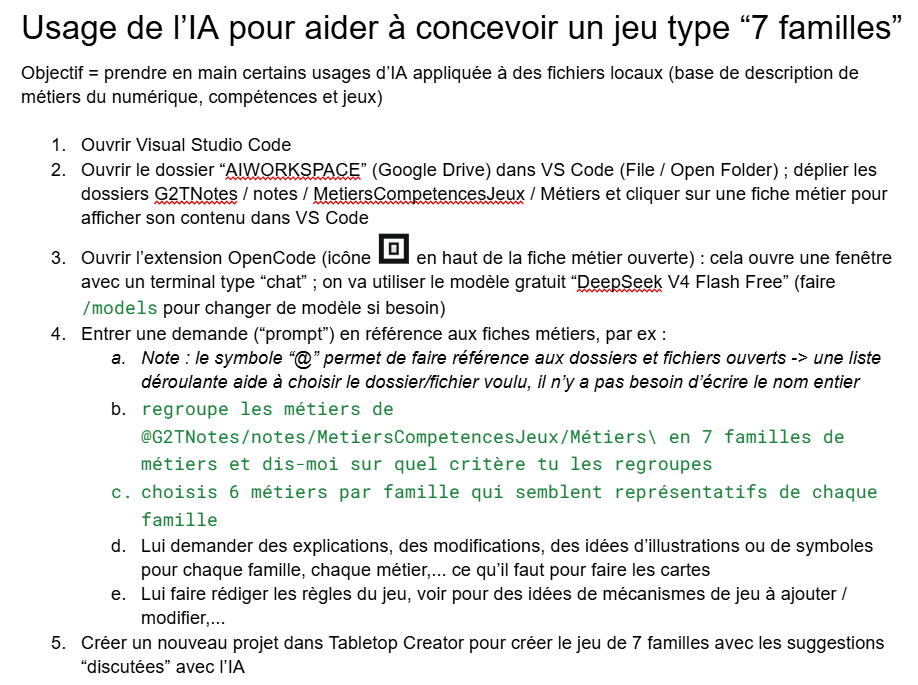
(Note: Tabletop Creator is a game design tool with a free version that allows you to create card games, among other things.)
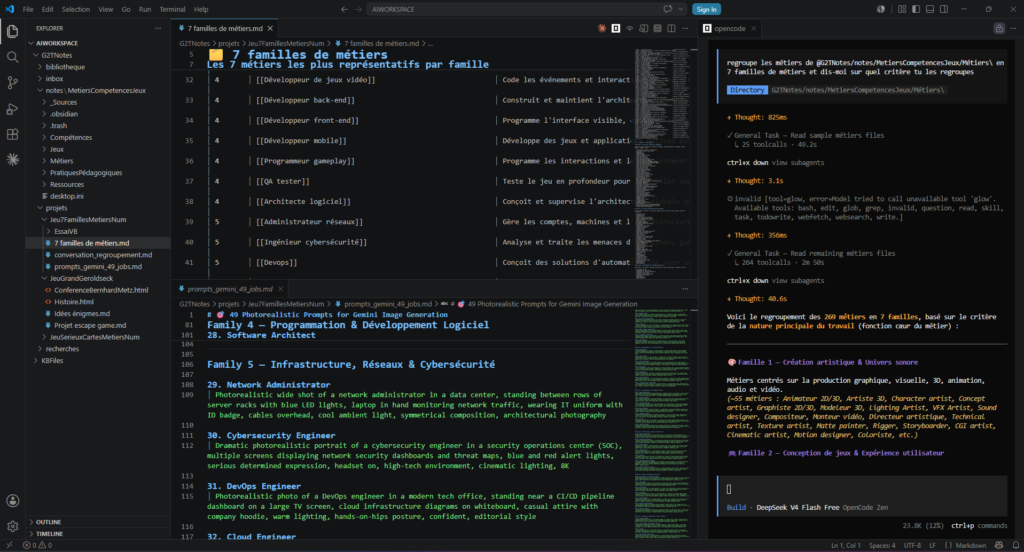
In the picture above, one can see the VS Code environment with:
- The folder and file hierarchy on the left: under
notes, folders containing notes on Jobs, Skills, and Games; underprojects, aJeu7FamillesMetiersNum(7 Families of Digital Jobs Game) folder containing the AI’s outputs. - The chat window of the OpenCode extension on the right, using the « DeepSeek V4 Flash Free » model.
- In the center, a preview of two files: one grouping 7 job families (the intern chose to select 7 jobs per family instead of 6); the other containing prompts generated by DeepSeek to feed into Gemini Pro to obtain photorealistic illustrations for each job.
We used Gemini Pro for the illustrations to achieve a photorealistic style. Earlier, we had compared a schematic style from DeepSeek V4 Flash Free with Gemini’s photorealistic output:
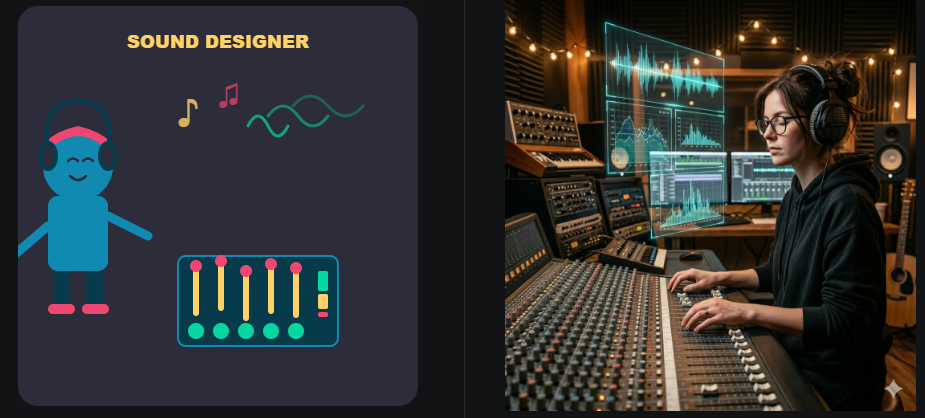
(Note: From a financial standpoint, we benefited from a free one-year subscription to Gemini Pro obtained through a Google student promotion in late 2025. Thus, the entire setup remained completely free.)
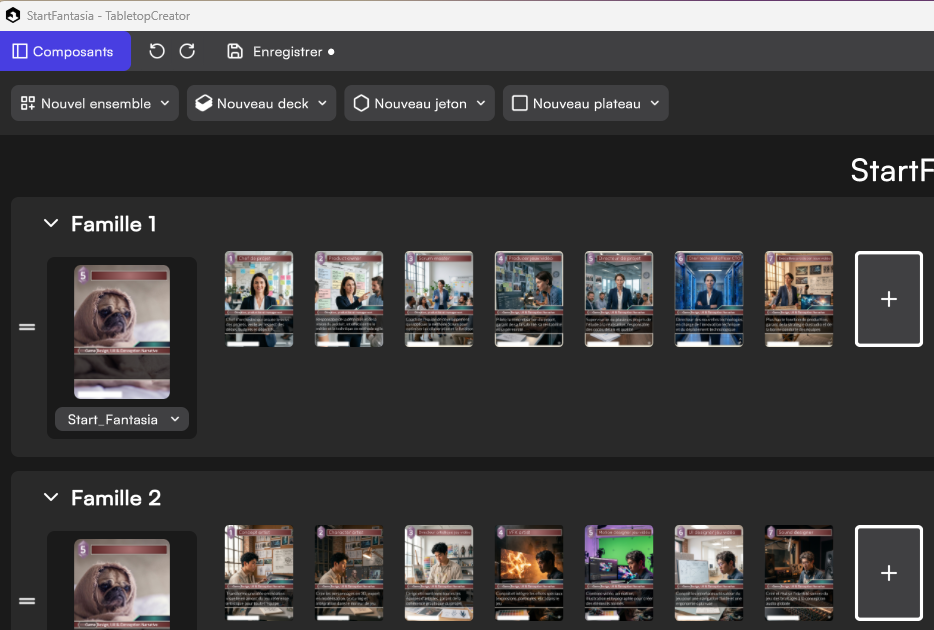
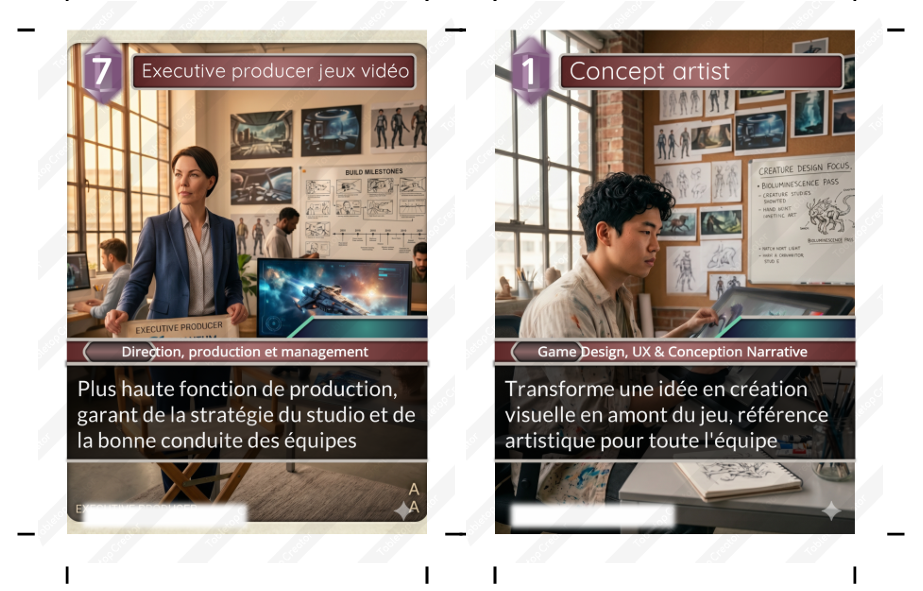
This is what the card game looks like in development:
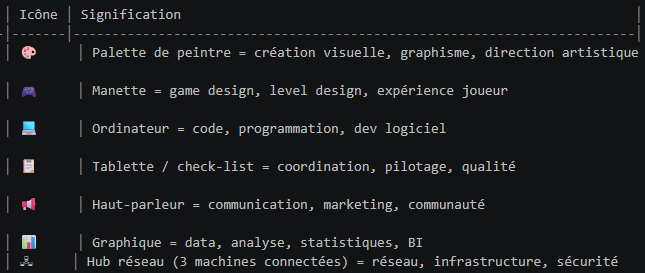
Although not integrated into the final game, we also asked DeepSeek to suggest custom icons for each job family:
Virtual Escape Room Design
We also experimented with another use case during the internship:
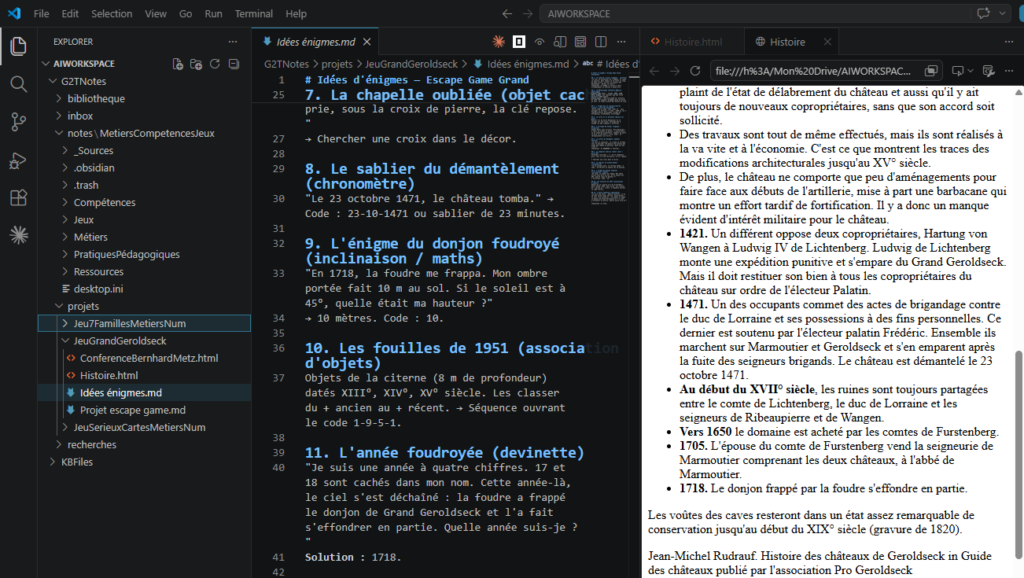
- During a previous project, we reconstructed the ruins of a local medieval castle (the Grand Geroldseck) in Minecraft.
- To design a virtual escape room inside this environment, we asked the AI to:
- Fetch the web pages from the local historical association (Geroldseck Association) detailing the castle’s history.
- Generate riddles and trivia based on this information to integrate directly into the Minecraft escape game.
Conclusion
This experiment was highly valuable for several reasons:
- It validated that a zero-cost AI configuration is entirely feasible under the right conditions.
- It allowed us to build upon and leverage work from previous internships (digital job notes).
- It showed the intern how to use AI for actual creation rather than just as a « basic chat » tool like ChatGPT.
- It enabled a young student to build something concrete and useful in a short timeframe, while introducing him to game-based learning and digital career orientation.
What about you? Do you see potential for a similar setup in your own context or organization?
No responses yet